SEO for Blog Posts: A Checklist for Business Owners
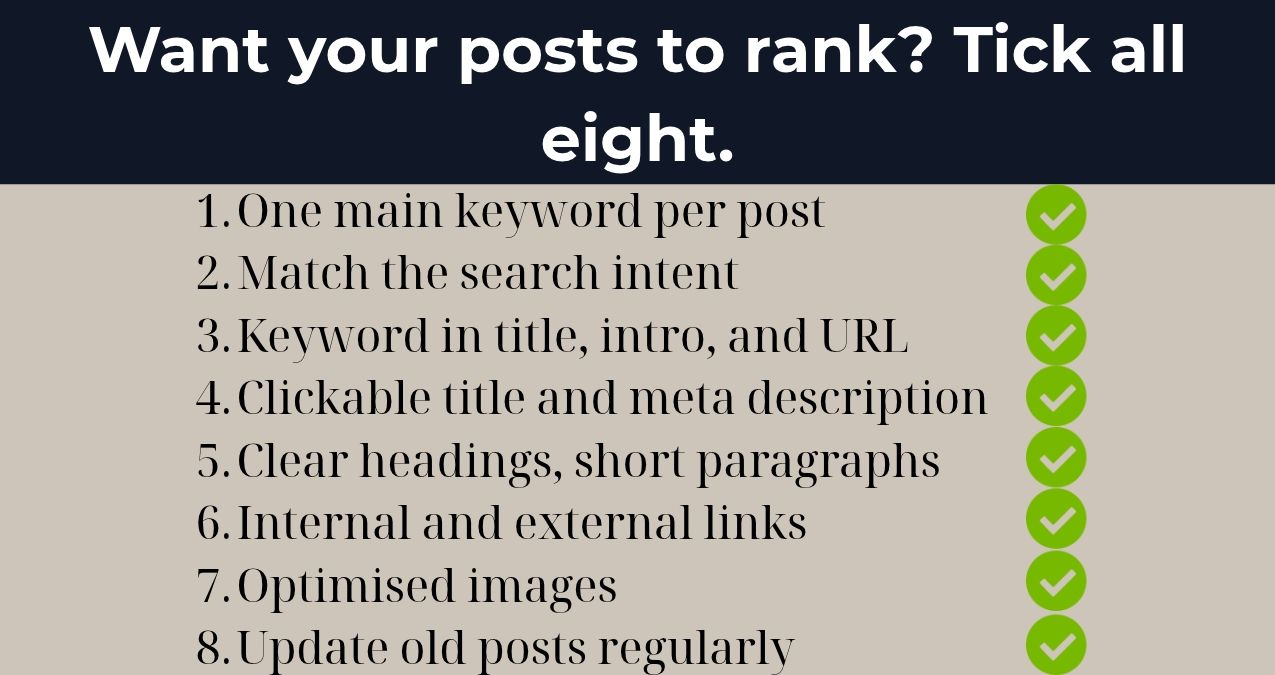
SEO for blog posts. Oh boy, sounds like you will need a specialist, a bunch of paid tools and plenty of coffee, right? Maybe tea, if you are a tea guy like me. Luckily, you won’t. Keep the coffee, though. It always helps.
Most of the things that make blog posts rank rely on habits that you embed in your writing process. For example, choosing the right keywords for a post, actually answering the questions that people have, and making it easy for both search engines and for human readers to understand what the page is about.
In this guide, I’ll walk you through the checklist I run before any post goes live, how to make your whole blog SEO-friendly, and the mistakes I see small businesses make again and again.
Does blogging help SEO?
Yes, blogging helps SEO, as long as every post targets something people search for. A blog gives Google more pages to index, more questions you can rank for, and more reasons for other sites to link to you.
Your product and service pages can only rank for so many terms. “Buy espresso machine” belongs to your category page. But “why does my espresso taste sour” or “how often should I descale my machine”? Those are blog questions. And the people asking them are often a few weeks away from buying.
What a blog won’t do is help your SEO just by existing. Ten posts nobody searches for won’t move anything. If you’re still deciding whether a blog is worth it for your business at all, start with my guide to blogs for businesses. This article assumes you’re in and want your posts to rank.
How to do SEO for a blog post, step by step
Here’s the process I follow for every post, whether it’s for a client or for my own site. Nothing in it is complicated. It just has to happen every single time.
Pick one main keyword per post
Every post needs one main keyword. It’s the phrase you want it to rank for. It also decides what the post will be about. Makes sense, right? It’s like writing a journalistic article. You write about one subject at a time.
Then add a few supporting keywords: close variations and related questions people search alongside it. For this article, the main keyword is “SEO for blog posts”. “Blog SEO checklist” and “how many SEO keywords should I use” are supporting ones.
Look for keywords with real search volume and a difficulty your site can handle. A new site with few links will struggle against the big players for a term with thousands of monthly searches. A specific question with 50 searches a month is a better place to start. Small? Sure. But winnable.
One more rule: never target the same main keyword with two posts. They end up competing with each other, and Google may decide to rank neither. SEOs call this keyword cannibalisation, which sounds far more dramatic than it is.
Check the search intent before you write
Search your main keyword on Google before you write anything. The first page of results shows you what Google thinks searchers want.
Look at the format first. Are the top results lists, step-by-step guides, comparisons, or product pages? If they’re all product pages, a blog post probably won’t rank there, however good it is. Pick another keyword.
Then look at what’s missing. Maybe every result is written for marketers, and nobody explains the topic for a shop owner. Maybe nobody gives a real example. That gap is your angle.
Use your keywords where they count
Your main keyword should appear in a few specific places:
- The post title (your H1) and the SEO title.
- The first sentence or two.
- At least one subheading.
- The URL.
- The meta description.
Beyond that, write naturally. Use supporting keywords and synonyms where they fit. If you have to bend a sentence to squeeze a keyword in, rewrite the sentence. Google treats repeating keywords to manipulate rankings as keyword stuffing, one of the practices listed in its spam policies. Readers just find it weird. It’s also very 00s.
Write a title and meta description people want to click
Your page title serves two functions:
- It tells Google what your page is about
- It tries to get people to click on your page.
Keep your title below 60 characters so it doesn’t get cut off. Place your primary keyword near the beginning of the title and make a promise to the reader. Google’s advice for titles is to make them descriptive yet concise. “Blog SEO tips” is okay. “SEO for Blog Posts: A Checklist for Business Owners” tells the reader who your post is for and what they will get.
The meta description is the text below the title in search results. Google may choose to build its own snippet from your page, as its SEO Starter Guide explains. Still, it's always better to include one of your own. The meta description should be roughly 150 characters in length. It should include the main keyword and a summary of what readers will learn.
And once they click, the page itself has to deliver. That’s where clear website copy earns its keep.
Structure the post with clear headings
Headings. People like them because they don't have as much time to read as they used to. Or they just don't want to. Headings help them scan through your content and decide whether it has what they are looking for. They also help Google understand how you organized your post. Use one H1 (for the title of your post), then H2s for the main sections, and H3s for the sections inside them.
Your headings should say something. Not just "Tips". That's just a label. But "Write a title people want to click” is a promise. If you use a question as a heading, then answer it in the first sentence. Readers will get what they came for, and Google will get a clear answer to place in the search results.
Keep your paragraphs short. Aim for two to four sentences. Nobody wants to read a long wall of text on their phone while waiting for a bus.
Link to your own pages
Internal links connect your posts to each other and to the pages that make you money. They help readers find the next thing they need, and they help Google discover and understand your pages.
Every new post should link to:
- Your pillar guide on the topic, if you have one.
- Two or three related posts.
- The product page or service page the post naturally leads to.
Then go back and add links to the new post from older posts on the same topic. This is the step everyone forgets. Myself included, more often than I’d like to admit.
Use anchor text that describes the page you’re linking to. “Click here” tells nobody anything. Google’s link best practices say anchor text should make sense on its own, even out of context. I keep mine to five words or fewer.
Cite sources people trust
Linking to trustworthy sources makes your post more credible. If you quote a statistic, link to where it came from: the original study, the official guide, the government page. Not the blog that copied it from someone else who copied it from someone else.
Google says it wants helpful, reliable, people-first content, and showing where your facts come from is part of being reliable.
Two rules I follow: never link to a direct competitor, and don’t link out every second sentence. A few strong sources beat a dozen weak ones.
Optimise your images
Images make a post easier to read, and they can bring in extra visits from Google Images. A few things help:
- Give every image a descriptive file name. espresso-machine-descaling.jpg, not IMG_4021.jpg.
- Write alt text that describes what’s in the image. It helps people using screen readers and tells Google what the image shows.
- Compress your images before uploading. Big files slow your page down, and slow pages lose readers.
- Place each image near the text it relates to.
Just don’t stuff keywords into your alt text. Google’s image SEO guidelines count that as keyword stuffing too.
Keep the URL short and readable
Keep your URL short, readable, and close to your main keyword. Use hyphens between words, and drop dates and filler words when the URL makes sense without them.
yourdomain.com/blog/seo-for-blog-posts works. yourdomain.com/blog/2026/10/the-complete-and-ultimate-guide-to-seo-for-blog-posts-in-2026 does not. You know which one you’d rather type.
Once a post is live, don’t change its URL unless you really have to. If you do, redirect the old address to the new one. Otherwise, you lose the links and rankings the post has already earned.
How to make your whole blog SEO-friendly
Optimising single posts is half the job. The other half is how your blog works as a whole.
- Group posts into topic clusters. One pillar guide per topic, shorter posts around it, all linked together. It shows Google you cover the subject in depth.
- Keep categories simple. A handful of clear categories beats thirty tags with two posts each.
- Check it on mobile. Many of your readers will open your posts on a phone, so look at yours on one.
- Watch your loading speed. Heavy themes, plugins you never use, and huge images all slow things down.
- Show who wrote it. An author name and a short bio help readers trust what they’re reading.
Update old posts before you write new ones
If you’ve been blogging for a while, your fastest SEO win might already be sitting on your site.
Open the Performance report in Google Search Console and look for posts with an average position between roughly 8 and 20. They sit at the bottom of page one or on page two, which means Google already sees them as relevant. A solid update can push them up.
To update a post:
- Check the current top results again. What do they cover that you don’t?
- Add missing sections, fresh examples, and current figures.
- Cut anything outdated.
- Rewrite the title and meta description if few people click.
- Add links to it from your newer posts.
Change the “last updated” date only if you made real changes. Moving the date on an untouched post fools nobody.
My rule of thumb: before you write your next new post, check whether an old one deserves an update first. It usually takes less time and pays off sooner.
Blog SEO mistakes small businesses make
I’ve seen the same handful of mistakes on business blogs again and again. A few of them I made myself, back when I thought writing well was enough.
- Writing about what you want to say, not what people search for. Your company anniversary is lovely. Nobody is googling it.
- Going after huge keywords with a brand new site. Start with specific questions you can win.
- Two posts chasing the same keyword. Merge them into one stronger post and redirect the weaker one.
- Publishing and forgetting. No internal links, no promotion, no updates.
- Posting unedited AI drafts or copied text. If it reads like every other page, it will rank like every other page.
- Giving up after two months. Most posts need a few months to settle into their real position.
If that list feels a little too familiar, this is the research and writing my blog content service covers, so your posts get it right from the first draft.
Your blog SEO checklist
Here’s everything above in one place. Copy it, print it, stick it next to your screen. I won’t judge.
| Step | What to check |
|---|---|
| Keyword | One main keyword, a few supporting ones, and no other post targeting the same main keyword |
| Search intent | Your format matches the top results, and you cover something they miss |
| Title | Keyword near the start, around 60 characters, a clear promise |
| Meta description | Around 150 characters, keyword included, says what the reader gets |
| First sentence | Includes the main keyword and starts answering the main question |
| Headings | One H1, logical H2s and H3s, keyword in at least one subheading |
| Internal links | Pillar guide, related posts, a product or service page, plus links from older posts |
| External links | Original sources for every statistic, no competitors |
| Images | Descriptive file name, alt text, compressed file |
| URL | Short, readable, includes the keyword |
| Readability | Short paragraphs, lists where they help, no walls of text |
| Next step | A clear call to action at the end |
Make SEO a habit, not a project
SEO for blog posts works best as a routine you repeat with every post. Run the checklist before you hit publish, link each new post into its cluster, and come back to your older posts every few months.
None of it needs expensive tools or an SEO degree. It needs consistency. One properly optimised post a month will do more for your business than four rushed ones.
Start with your next post. Run it through the checklist and see what you’d change. And if you’d rather hand the whole thing over, get in touch. It’s what I do every day.
Common questions about blog SEO
How many SEO keywords should I use in a blog post?
Use one main keyword and around three to five supporting keywords or related questions. The main keyword sets the topic, and the supporting ones help the post rank for the variations people search. There’s no ideal keyword density, so focus on covering the topic well.
How long should a blog post be for SEO?
As long as it takes to answer the question better than the current top results. For most business posts, that lands somewhere between 1,000 and 2,500 words. For reference, the average post in Orbit Media’s 2026 blogger survey was 1,312 words.
How often should you blog for SEO?
As often as you can publish good posts consistently. For most small businesses, two to four posts a month is realistic. A steady pace matters more than volume, and updating older posts counts too.
How can I improve my blog’s SEO?
Start with the posts you already have. Find the ones ranking on page two in Google Search Console, update them, sharpen their titles and meta descriptions, and add internal links between related posts. Then run every new post through the checklist above.
References
- Crestodina, A. (2026, September 8). Blogging statistics 2026: What 1,042 content marketers told us about what works. — Orbit Media Studios.
- Google Search Central. (2026). Creating helpful, reliable, people-first content. — Google for Developers
- Google Search Central. (2026). Image SEO best practices. — Google for Developers
- Google Search Central. (n.d.). Influencing title links in Google Search — Google for Developers
- Google Search Central. (2025). SEO link best practices for Google — Google for Developers
- Google Search Central. (2025). SEO starter guide: The basics — Google for Developers
- Google Search Central. (2026). Spam policies for Google web search — Google for Developers
- Google Search Console Help. (n.d.). Performance report (Search results): Overview and basic setup — Google
Ready to put the checklist to work? Run your next post through it and see what changes. If you’d rather spend your time running your business, I’ll handle the SEO and the writing for you.
I want posts that rank